 English
 Ukrainian


I have some updates with the books downloadere from the 0.5 version!
I do not use it often, since I've downloaded lots of books and read them for a while. But when I came back to download new one almost every time something is changed on the websites and downloader is not working in the correct way.
The one of the issues I've found was incorrect usage of "echo" command and passed variable there without " symbol. This leads to have a files listed in the root of this project to appear in the book. This was fixed by replacing all echo to file to printf.
Another cool feature I've borrowed from my movies-downloader script is to download books from the list. It's very useful to create a list of the urls first and then just feed it to the script to download.
$ ./book.sh --list=mylist.txt
Trying to download comics from zenko.online was not success since they changed the API. That was another interesting evening to figure out if I can download anything from there. First of all they switched to next.js (?) and removed almost everything from the webpage moving it to scripts.
They use cloudflare to protect the website from the request from outside. To fix this issue I'm using curl impresonate project.
Here's cool bash function to donwload the page with headers support!
CURL_CHROME="/opt/curl-impersonate-v0.6.1.x86_64-linux-gnu/curl_chrome116 -s"

# Download html.
# $1 - URL
# $2 - File to save
# $3 - additional headers
get_html_page_anonymous() {
	local extra_headers=()
	if [[ -n "$3" ]]; then
		local arr="${3}[@]"
		extra_headers=("${!arr}")
	fi
	$CURL_CHROME "$1" "${extra_headers[@]}" -o "$2"
}
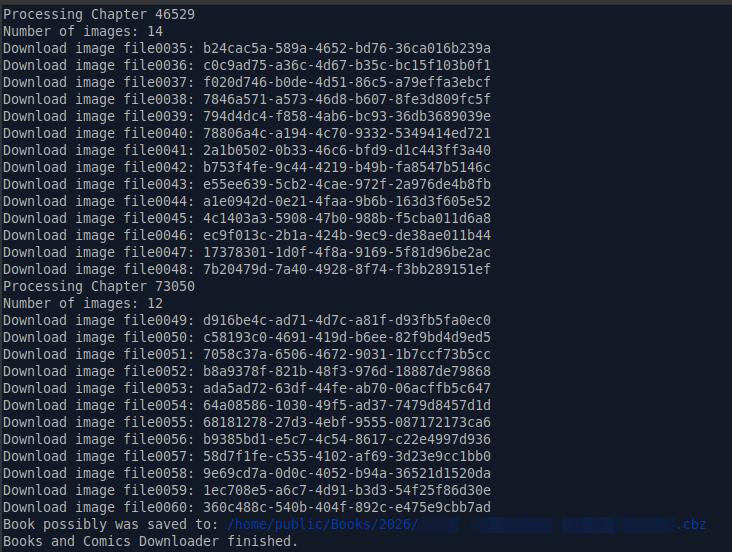
To setup headers and use them with the function:
IMAGE_REQUEST_HEADERS=(
	-H "accept: image/avif,image/webp,image/apng,image/svg+xml,image/*,*/*;q=0.8"
	-H "accept-language: en-US,en;q=0.9"
)

get_html_page_anonymous "$IMAGE_URL" "$IMAGE_PATH" IMAGE_REQUEST_HEADERS
Another issue was with webp converter. Previous images format on zenko.online was the WebP. But converting webp to jpeg with Imagemagick leads to error.
symbol lookup error: /lib/x86_64-linux-gnu/libwebpmux.so.3: undefined symbol: WebPMalloc
To fix this you can use ffmpeg to convert webp to jpeg
$ ffmpeg image.webp -o image.jpg
Another solution is dwebp program. https://developers.google.com/speed/webp/docs/dwebp
By default it will convert images to PNG format. You can select bmp or tiff but no jpeg is available. Keep this in mind.
But it was not a case there because new api can return jpg originaly. So I've removed that part.
You can check the latest version of Books Downloader here.