 English
 Ukrainian

Надіслав:
Admin
, дата:

In my research of twin panel file manager I landed up on Superfile to test it. First impression - what the hell is going on there?
The website is https://github.com/yorukot/superfile
First you need to check help https://superfile.dev/getting-started/tutorial/
Зображення
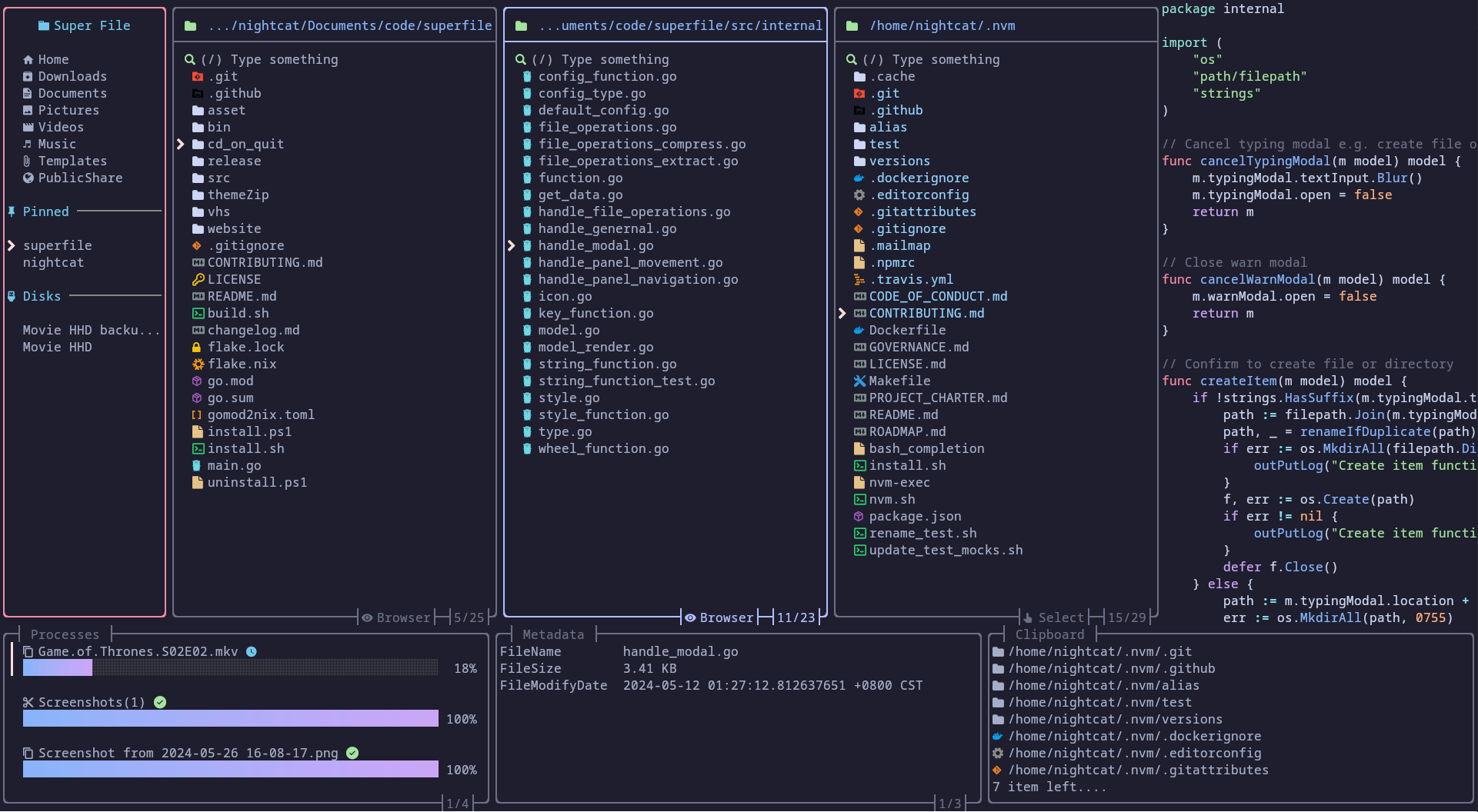
Some hotkeys were not working on my side because I'm using default xfce4-terminal. Keep this in mind and remove hotkeys from term if they are present in some case.
Here's the list of good things in spf:
- control over the keyboard only
- hotkeys are really good
- pinned paths
disadvantages:
- file will be opened with the default app when you press Right button
- you can't duplicate current panel (Shift+n was not working for me). You can use >split command but it requre too much actions
- your opened panes are not saved on exit
- no hotkey to choose pinned tabs. by pressing
syou should scroll over default folders. - internal file viewer displays only 1st screen data. No keys to scroll the text.
- no action to open default terminal app in current dir
- you can't setup default panels to show on startup. Only with custom bash alias
Some of the issues will be fixed in the new versions. Too bad I can't help since my knewledge of Go language is very bad.