English
 Ukrainian


VSCodium is a bit harder to configure for c c++ development because of not fully automated CMake extension.
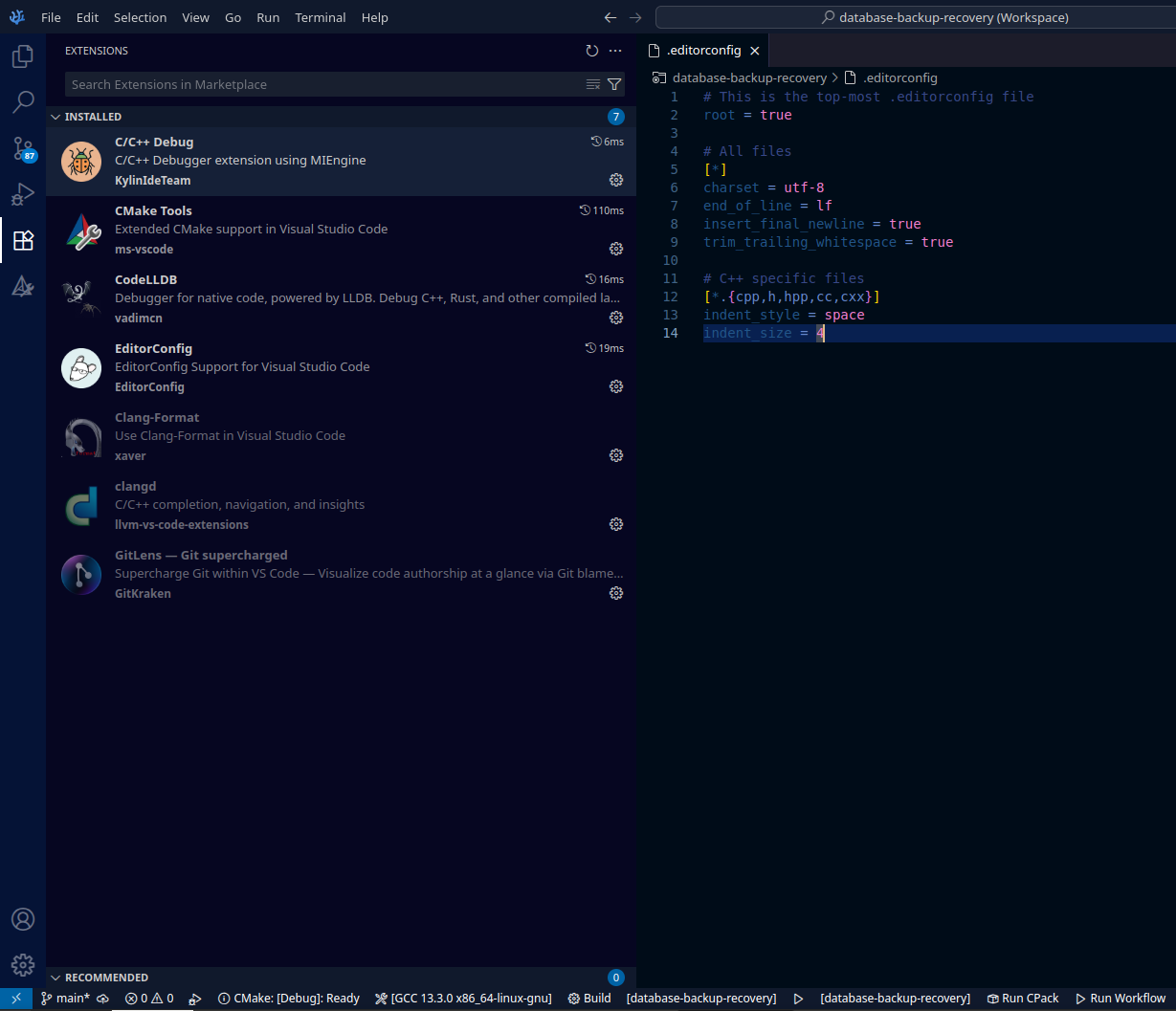
Here's the list of extensions which I'm using
Name: C/C++ Debug
Id: KylinIdeTeam.cppdebug
Description: C/C++ Debugger extension using MIEngine
Version: 0.4.0
Publisher: KylinIdeTeam
Name: CMake Tools
Id: ms-vscode.cmake-tools
Description: Extended CMake support in Visual Studio Code
Version: 1.23.52
Publisher: ms-vscode
Name: CodeLLDB
Id: vadimcn.vscode-lldb
Description: Debugger for native code, powered by LLDB. Debug C++, Rust, and other compiled languages.
Version: 1.12.2
Publisher: vadimcn
Name: EditorConfig
Id: EditorConfig.EditorConfig
Description: EditorConfig Support for Visual Studio Code
Version: 0.18.2
Publisher: EditorConfig
And clang extensions which is nice, but I disable them because of too much recomendations on every key input. I was not able to print something custom without ESC button hit to remove that suggestion window!
Name: Clang-Format
Id: xaver.clang-format
Description: Use Clang-Format in Visual Studio Code
Version: 1.9.0
Publisher: xaver
Name: clangd
Id: llvm-vs-code-extensions.vscode-clangd
Description: C/C++ completion, navigation, and insights
Version: 0.6.0
Publisher: llvm-vs-code-extensions
Setup CMake extension.
At first I was very dissapointed because there was no useful bottom bar of CMake extension. But after some time checking the settings I found it.
"cmake.options.statusBarVisibility": "visible",
"cmake.setBuildTargetSameAsLaunchTarget": true,
"cmake.automaticReconfigure": false,
"cmake.ctest.testExplorerIntegrationEnabled": false,
"cmake.loadCompileCommands": false,
"cmake.pinnedCommands": [
	"workbench.action.tasks.configureTaskRunner",
	"workbench.action.tasks.runTask"
],
And use custom build folder if you're using cmake variants build types:
"cmake.buildDirectory":"${workspaceFolder}/build/${buildType}",
I didn't figure out how to make the debugger work from the bottom panel, like it was in VScode. But it's running from left Cmake sidebar. With a custom configuration in .vscode/launch.json file
{
    "version": "0.2.0",
    "externalConsole": false,
    "configurations": [
        {
            "name": "CMake Debug",
            "type": "lldb",
            "request": "launch",
            "program": "${command:cmake.launchTargetPath}",
            "cwd": "${command:cmake.launchTargetDirectory}",
        }
    ]
}