 English
 Ukrainian


So here's the issue: double commander was developed by russian developer. Which is a red flag by default. Alternatiive solution should be found.
And gnome commander is one of them. Which has very similar design to total commander which I was using over 10 years ago on windows machines.
Project website https://gnome.pages.gitlab.gnome.org/gnome-commander/
$ sudo apt install gnome-commander
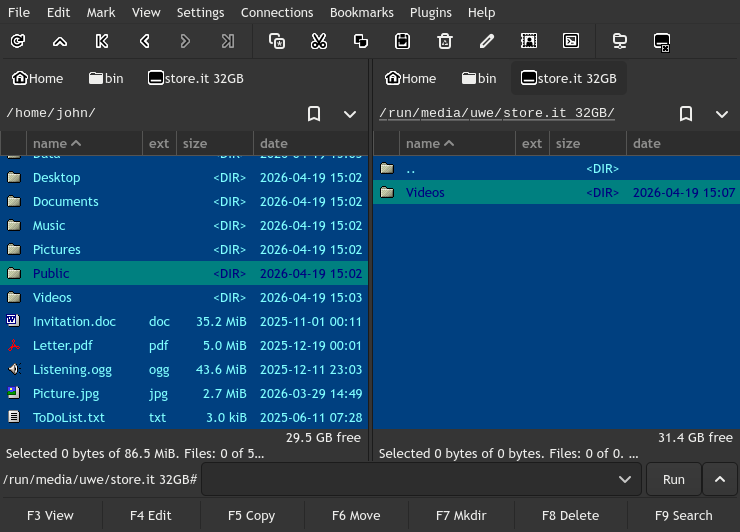
It was fine on startup but then I found a segfault error when changing from text->image->text in the internal viewer!
And the version that available in the ubuntu reps is gnome-commander/noble 1.16.1-1build4 amd64
Here's the errors:
Thread 1 "gnome-commander" received signal SIGSEGV, Segmentation fault.
0x00007ffff748fc52 in gtk_widget_get_mapped () from /lib/x86_64-linux-gnu/libgtk-4.so.1
(gdb) bt
#0  0x00007ffff748fc5a in gtk_widget_get_mapped () at /lib/x86_64-linux-gnu/libgtk-4.so.1
#1  0x00007ffff73db86a in ??? () at /lib/x86_64-linux-gnu/libgtk-4.so.1
#2  0x00007ffff6e666bd in ??? () at /lib/x86_64-linux-gnu/libgobject-2.0.so.0
So the next stop was to build the latest 2.0.1 version from the sources!
https://gitlab.gnome.org/GNOME/gnome-commander
$ git clone https://gitlab.gnome.org/GNOME/gnome-commander.git
The whole setup process is not described inthe INSTALL file in the repository. First you need these 2 main programs.
$ sudo apt install meson rustup
Next step is build dependancies, but first add "Source code" to your setup via this program.
$ software-properties-gtk
If you don't want to use it you can do everything manually. In the latest Ubuntu 24
change Types: deb deb-src
$ sudo nano /etc/apt/sources.list.d/ubuntu.sources
Or if you upgraded from the previous Ubuntu check this file and uncomment deb-src lines. Be patient to release alias.
$ sudo nano /etc/apt/sources.list
Finally we can build deps:
$ sudo apt build-dep exiv2 taglib libgsf poppler yelp
And update rust crates to the latest
$ sudo rustup update stable
$ sudo rustup default stable
If you se some errors
error: rustup could not choose a version of cargo to run, because one wasn't specified explicitly, and no default is configured.
help: run 'rustup default stable' to download the latest stable release of Rust and set it as your default toolchain.
try to force installation of the stable crates.
$ rustup toolchain install stable --force
Next step is to try config and build gnome-commander via meson. Check INSTALL file in the repo root
Simple install procedure
========================

  % meson setup builddir                         # prepare the build
  % meson compile -C builddir                    # build Gnome Commander
  % meson install -C builddir                    # install Gnome Commander

This installs Gnome Commander to the default directory, usually under
'/usr/local/bin/'.
I got a bit of errors on setup
Error: Unable to find a source package for libexiv2

meson.build:101:12: ERROR: Dependency "gtk4" not found, tried pkgconfig and cmake

Run-time dependency vte-2.91-gtk4 found: NO (tried pkgconfig and cmake)

The package requires the Cargo feature called `edition2024`, but that feature is not stabilized in this version of Cargo (1.75.0).
So here is the another pack of ssoftware you possibly will need to build the program.
$ sudo apt install libgtk-4-dev libvte-2.91-gtk4-dev libwebkit2gtk-4.1-dev
And maybe these for other interesting compilation stuff
$ sudo apt install gi-docgen libgirepository1.0-dev itstool
Finally it was compiled successfully. And from what I can say, the segfault issue was fixed in that version.
But I found another one with Internal Viewer window so I've created a PR to fix this Internal Viewer window issue!
https://gitlab.gnome.org/GNOME/gnome-commander/-/work_items/324
I didn't work with Rust before. The code is so unusual for me. But it was really nice to fix this issue!
But I still miss some functionality:
- ~~To navigate the files by start typing the first filename symbols~~
- ~~to open the terminal from current active folder~~
- ~~theme switcher is not working~~
- ~~home button is not working~~
- file navigation is not fast, I feel lag when returning level up from the folder
UPD:
The development team of Gnome Commander is really responsible and reply very quickly! I can't stop adding MRs to make this file manager better!
https://gitlab.gnome.org/GNOME/gnome-commander/-/merge_requests/520
https://gitlab.gnome.org/GNOME/gnome-commander/-/merge_requests/526
- To navigate the files by start typing the first filename symbols the settings should be updated with "General" -> "Quick search" -> "Just letter...".
- Theme switcher was fixed!
- Home button was fixed.
- Open the terminal from current active folder - Set correct term emulator in Programs settings. In my case it should be xfce4-terminal and it could be opened via toolbar icon "Open terminal"