 English
 Ukrainian


So... it's 2026. PS3 was released in 2006. This year will be 20 years birthday of this console.
And it's time to finally take hands on it and check how to build an homebrew for it.
Sad I didn't catch up the homebrew scene back in that days when psl1ght was created. Can't imaging how fun it was for hacker and developers to reverse it and write an own applications for it.
First of all my interest was to port my game to this console. My first try was with SDL2. But psl1ght port for SDL2 is so bad. There are absent basic promitives, drawing queue is incorrect, joystick do not have rumble option and so on... I've spent a lot of time to fix it. It was working in some cases but not ideal. I was tired and left that idea.
But today is a new interesting task - try to port PSL1GHT for SDL3! SDL3 now support cmake as the initial build system. All official PS3 SDK and PSL1GHT were developed via make build system.
Where to start?
There are 1 thing you need - ps3toolchain. Which will download and compile for you gcc, gdb, utils, psl1ght and libs.
When I was plating with SDL2 the best repo I've found with the latest fixes and working were the repositories from humbertodias user.
https://github.com/humbertodias/ps3toolchain
https://github.com/humbertodias/ps3libraries
I've based my updates on them.
How to build everything??
I'm workin in linux custom Ubuntu dist, so all commands will be related to this system. All installation was tested on Linux 6.17.0-20-generic kernel and Ubuntu 25.10.
Download ps3toolchain repo - https://github.com/onesixromcom/ps3toolchain.git
Run installation of all needed software and create folders.
  sudo apt install autoconf automake bison flex gcc libelf-dev make \
    texinfo libncurses5-dev patch python3 subversion wget zlib1g-dev \
    libtool libtool-bin python3-dev bzip2 libgmp3-dev pkg-config g++ libssl-dev clang \
    python-is-python3 python-dev-is-python3 python3-setuptools cmake git
  sudo mkdir /usr/local/ps3dev
  sudo chmod 777 /usr/local/ps3dev
Add global variables to your ~./bashrc file:
# PS3DEV
export PS3DEV=/usr/local/ps3dev
export PSL1GHT=$PS3DEV
export PATH=$PATH:$PS3DEV/bin
export PATH=$PATH:$PS3DEV/ppu/bin
export PATH=$PATH:$PS3DEV/spu/bin
This should be enough on fresh system and you can run toolchain install now. If some deps are not found - check your configuration or follow the steps toolchain provides. The build process is long - make a tea.
./toolchain-sudo.sh
If some step failed you can rerun it directly with providing the script number.
./toolchain-sudo.sh 8
After installation will be completed you can check if /usr/local/ps3dev/ppu/bin/ have files to build PS3 apps.
UPD: there was an issue with compiling gdb-8.3.1 wuth python 13.2. So I've removed it from build. Not sure if it's really matter.
What is ps3libraries ??
There is a ps3libraries repo to be downloaded from that toolchain script. It includes lots of libraries that could be possibly useful for you if you want to make PS3 apps from scratch.
I've removed libraries that not needed for SDL3 development to save installation time.
Here's my version https://github.com/onesixromcom/ps3libraries.git. It will be downloaded automatically via ps3toolchain.
Here comes errors!
Possibly you will not success with default ps3toolchain flow because of compilation error.
On test machine gcc 15.2.0 was installed.
The issue is with gdb-8.3.1 compilation. Source code of this version is too old for new compilers.
../../readline/signals.c:407:41: error: passing argument 2 of ‘rl_maybe_set_sighandler’ from incompatible pointer type [-Wincompatible-pointer-types]
../../readline/signals.c:265:6: error: too many arguments to function ‘oh’; expected 0, have 1
It was fixed withh adding CFLAGS for PPU and SPU GDB builds.
CFLAGS="-g -O2 -std=gnu89 -Wno-old-style-definition -Wno-strict-prototypes -Wno-error=incompatible-pointer-types -Wno-error=return-mismatch" \
And the last one PSL1GHT errors:
The source from (https://github.com/ps3aqua/PSL1GHT )[https://github.com/ps3aqua/PSL1GHT ] will not be compiled because of errors.
/home/ps3/work/ps3toolchain/build/PSL1GHT/tools/ps3load/source/main.c:68:16: error: cannot use keyword ‘false’ as enumeration constant
   68 | typedef enum { false, true } bool;
      |                ^~~~~
/home/ps3/work/ps3toolchain/build/PSL1GHT/tools/ps3load/source/main.c:68:16: note: ‘false’ is a keyword with ‘-std=c23’ onwards
/home/ps3/work/ps3toolchain/build/PSL1GHT/tools/ps3load/source/main.c:68:30: error: expected ‘;’, identifier or ‘(’ before ‘bool’
   68 | typedef enum { false, true } bool;
Was fixed with patch.
Next error
Traceback (most recent call last):
  File "/home/ps3/work/ps3toolchain/build/PSL1GHT/tools/ps3py/setup.py", line 1, in <module>
    from distutils.core import setup, Extension
ModuleNotFoundError: No module named 'distutils'

distutils package is removed in Python version 3.12
It was deprecated in Python 3.10 by PEP 632 “Deprecate distutils module”. For projects still using distutils and cannot be updated to something else, the setuptools project can be installed: it still provides distutils.
Which was fixed with installing python3-setuptools via apt.
You should not get it if you already installed python3-setuptools in the beginning of this article.
Test if sources are compiled.
In the ps3libraries repo I've added a ps3dev.cmake file. It will be copied to /usr/local/ps3dev/share folder. We should use this file for building PS3 ELF files.
Download simple example of SDL3 PS3 program https://github.com/onesixromcom/sdl3-ps3-example
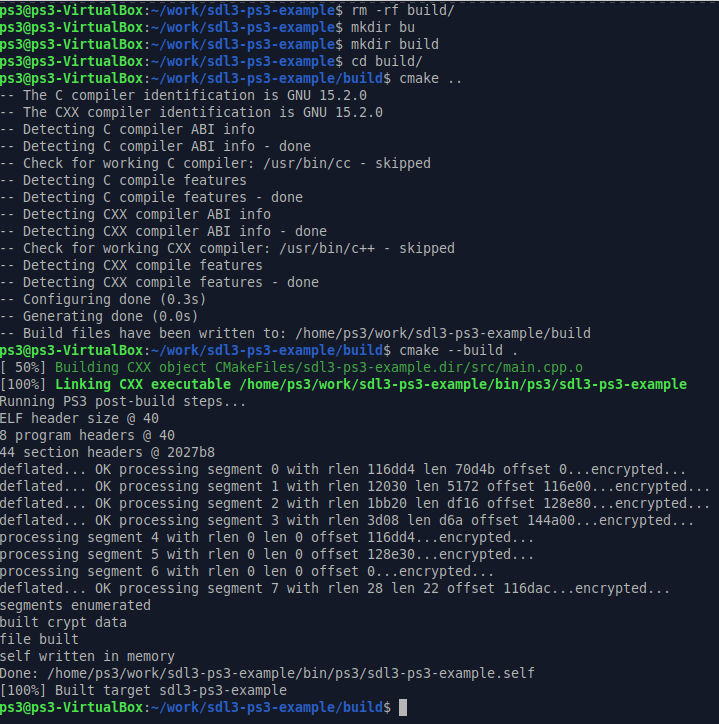
Goto into directory and try build it.
cd sdl3-ps3-example
mkdir build
cd build
cmake ..
cmake --build .
Install emulator for local testing
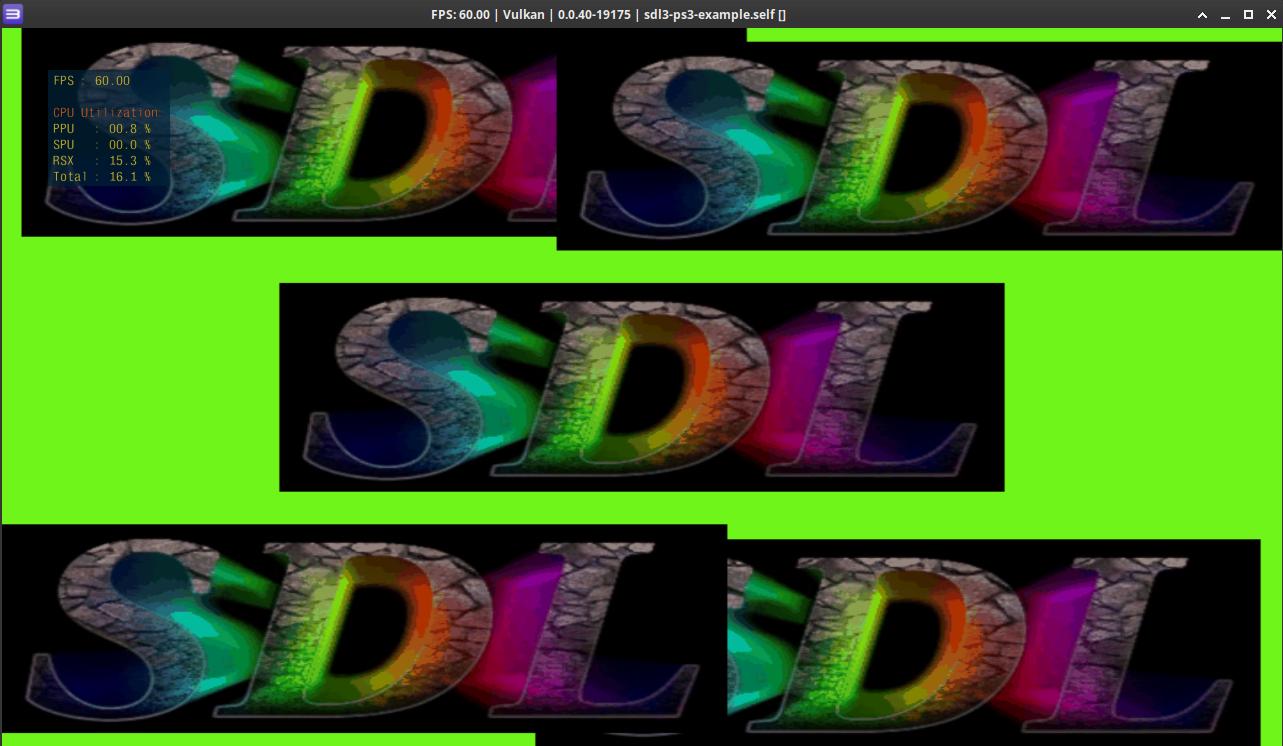
The best and the only emulator for PS3 is RPCS3.
How it was done?
Source code of PS3 port for SDL3 is here https://github.com/onesixromcom/SDL/tree/ps3
In the next article.